Dye Tester
Try a dye on your card before spending it. Free while in beta.
Type adyetestFree on every server
Loading Dye Tester
Try a dye on your card before spending it. Free while in beta.
Type adyetestFree on every server
Try a dye on your card before spending it. Free while in beta.
Type adyetestFree on every server
Want to see whether a dye matches your card? Run adyetest, or start with a known dye using adyetest $qzd, and Keqing makes a preview using your card and the dye's recorded picture or a fresh Karuta lookup. It works with regular and Mystic dyes, including the glow shown by a Mystic dye.
Free while in beta. Dye Tester is now a public beta available in every server where Keqing is present. You don't need Keqing Premium. Your server's channel settings and the frame's availability still apply.
This only makes a picture. It doesn't spend your dye, apply it to your card or remove the dye you already have. Karuta's actual result can still look different, even on an approved frame.
Interactive example · type in the channel. Previews were made by Keqing's own dye code, from the saved card and mask fixtures. Dye codes, owner and wear are made up.
Keep the command and all requested inputs in the same channel. Replace the placeholders with your actual dye and card codes; don't type the angle brackets.
Start the tester
Type adyetest. Keqing asks you to choose a dye. Or run adyetest $qzd to try resolving that dye straight away.
Choose the dye
Send just its code, such as $qzd. If Keqing has a usable picture in Dye Trace, it selects the dye without another lookup. Otherwise, run the requested kv $<dye code> yourself. You can also use kv directly. Keqing reads Karuta's Dye Details, then asks for your card.
Look up the card
Run kci <card code> yourself. Keqing reads Karuta's Card Details and uses the frame already on that card.
Check the result
Once Keqing has the requested inputs, it posts a new message under your lookups. For an approved custom frame with a usable mask, that message becomes Dye preview, so you don't have to scroll up. Its first prompt changes to Dye and card received, with a link down to the result. Default edition 1–8 frames can also be used without custom-frame approval. If the frame is not approved or not ready, Keqing explains why instead of showing a preview.
You have two minutes for each missing input. The timer starts again after Keqing accepts the next input. If a dye code cannot be resolved, Keqing asks for kv and gives you a fresh two-minute window. Follow the current prompt: running kci while Keqing is asking for a dye won't select the card.
The short commands adyet and adyepreview work too. These examples use Keqing's default a prefix; use your server's prefix if it's different.
A pending input keeps the Cancel button on the original prompt. Once all inputs arrive, those controls disappear; the new result message is checked and rendered separately.
adyetest $qzdWhen a tester is already waiting for a dye, send only $qzd as your message, including $. This works for the normal command, 🎨 on Card Details, Dye or Dye all on Frame Tester results, and Try another dye. The code must come from the person whose tester is waiting, in the same channel.
The shortcut uses Dye Trace. It needs the dye to be recorded with a usable picture and Dye Trace available to you. An unknown code, a record without a picture, an unavailable service or a closed release switch falls back to asking for kv $qzd; it does not consume the dye or fail the whole preview. Look up the dye through Karuta to continue.
Find codes in Dye Trace or the Dye Catalogue. A code supplies the dye only: you must still provide the card and, for an already-dyed card, its undyed kdr preview.
You don't have to start from scratch. Reply to Karuta's message itself with adyetest, and Keqing keeps that input.
kci: Send a dye code or run kv $<dye code>. You can also reply with adyetest $qzd to select both that card and a traced dye. If the card already has a dye, Keqing then asks for kdr <card code>kv: Run kci <card code>, then kdr <card code> if neededkdr: Send a dye code or run kv $<dye code>, then kci for the same card shown in that previewExample assumes an approved frame. 🎨 on Card Details opens the same Card ready prompt.
Replying to an existing Karuta message selects that input directly. After the tester opens, send a dye code when asked, or run any missing lookups yourself; only new Karuta answers addressed to you in the same channel are accepted. Do not add a dye-code argument when replying to Dye Details: that reply already supplies the dye.
A character lookup (klu) isn't Card Details. This tester needs a specific card, so use kci. To try a dye on a frame you don't own yet, use the Frame Tester: a preview of an approved frame has a 🎨 Dye button that takes a dye code or your kv. On a premium comparison, Dye all previews one dye on every eligible frame.
Press 🎨 on Karuta's Card Details to open the tester with that card selected, then send $qzd or run kv $<dye code> when asked.
The shortcut appears only when the card's frame is approved and Dye Tester is enabled in that channel. This approval check also applies to default edition 1–8 frames for the reaction shortcut. Keqing doesn't add 🎨 to Dye Details or Remove Dye previews; you can still reply to those messages with adyetest.
If 🎨 is missing, reply to Card Details with adyetest to check availability. The command allows default edition 1–8 frames without custom-frame approval, but custom frames still need approval. The command and reaction both still need a usable mask to render.
Keqing needs a clean version of the card so the old dye doesn't affect the new preview. Karuta's kdr preview supplies that version without making you remove the dye.
adyetest and supply the dye and card as usual.kdr <card code> in the same channel.Use exactly the same card code for kci and kdr. If you changed the card's appearance between the lookups, run both again so their images match.
You can also start by replying to an existing Remove Dye preview with adyetest, then provide the dye and matching Card Details when asked.
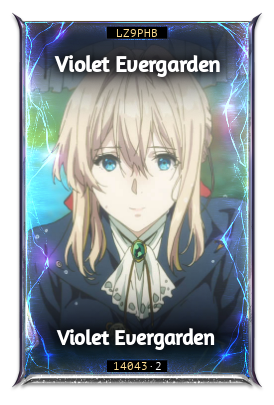
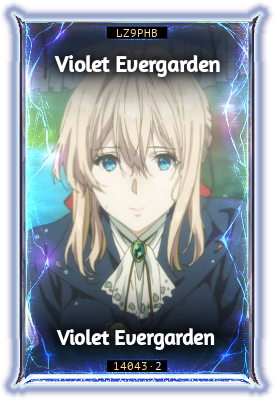
Example: Violet Evergarden already has a dye, and you have supplied the new dye with kv.
This demo makes no changes to a card. In Discord, the original prompt is edited and the finished preview is a new message below your lookups.
Custom frames must be approved for dye previews. If yours isn't approved, Keqing says Frame not approved and names the frame. It doesn't render a card or show a Proceed button to ordinary players. When you start by replying to Card Details, it can stop before asking you to look up the dye.
Default Edition 1–8 frames don't need this custom-frame approval, but Keqing still needs a usable dye mask to render them. If an available frame has no reliable mask, it shows Learning, followed by a short message asking you to try again when a reliable preview is available. The full title includes the frame name, such as Learning Mirrored Energy. Sample counts are not shown.
Try another approved frame or come back once your frame is ready. There is no countdown that automatically makes a frame ready, and a server admin's channel setting doesn't approve it.
Illustrative frame status: an ordinary player tries a custom frame that is unapproved, or approved but missing a usable mask.
No card preview, sample counts or Proceed button for ordinary players.
While Keqing is waiting for your dye, card or kdr preview, press the red Cancel button on its message. Only the person who started that tester can cancel it.
The same message changes to Dye preview cancelled, its buttons disappear, and you can run adyetest again in that channel immediately. The bot staff's Proceed prompt also has Cancel. Finished previews and approval notices don't have a Cancel button.
You already have an active preview in this channel and try starting a second one.
The finished message shows your card code, frame name, the chosen dye as a thumbnail and the rendered card. Tester embeds carry the footer Beta · Free while in beta. On an already-dyed card, it also tells you that it used the undyed version from kdr.
Check both the frame colour and, for Mystic dyes, the glow against the card's art. A normal Dye preview is still a preview of Karuta's result; Approximate dye preview adds uncertainty about which frame parts should change.
A finished Dye preview has a 🎨 Try another dye button for two minutes. Press it, then send a dye code such as $qzd or run kv $<dye code> in the same channel within two minutes. If the code cannot be resolved, run the kv Keqing asks for. Keqing posts the same card in the new dye as another new message, so earlier previews stay put and you can compare them side by side. The clicked result loses its button while Keqing waits for the next dye. That new prompt changes to Dyeing card when the dye arrives, and the result is another new message. The newest result carries the button on, so you can keep going.
adyetest to start againkdr preview, so you don't need to run it again.To test the same dye on another card, reply to Dye Details with adyetest and provide the new card.
Only your own dye-code messages and new Karuta lookups fill the tester's prompts. Another player's code, kv or kci won't take over your session. Each person can have one active dye preview per channel; finish it or press Cancel before starting another there. This waiting slot is shared with the Dye / Dye all buttons on Frame Tester and Try another dye, so one dye input feeds only one preview. Other people can open their own testers in the same channel.
For a closer look at a Mystic dye's colours and glow on their own, see the Dye Extractor, which is a separate Premium feature.
Switch between the examples to see Keqing's reply and what to try next.
Use Card Details that identifies a custom frame or a default edition frame. This example illustrates missing frame information.
adyetest without a reply$abc: Use a $-prefixed dye code as the command's argument, or run adyetest without argumentskv after you send a code: The traced dye could not supply a usable picture. Run the requested lookup; your preview is still waitingkdr for the requested card and leave the confirmation buttons untouchedkdr or kci for a different card won't matchadyetest again and supply each requested input within two minuteskci and kdr lookups for the same card, without changing its appearance between themkdr again and use Karuta's original previewKeqing needs View Channel, Send Messages, Read Message History, Embed Links and Attach Files in the testing channel. To add the 🎨 shortcut itself, it also needs Add Reactions. If it can't read the replied-to message or send the picture, ask a server admin to check its channel permissions.
Server admins can control Dye Tester separately from the other frame tools. This setting covers adyetest and its aliases, the 🎨 shortcut, whether Keqing adds 🎨 to supported messages, and the Dye / Dye all buttons on Frame Tester previews. The public beta is free in every server; enabling a channel still does not bypass frame approval.
Open your server's Feature restrictions page in the dashboard, then find Dye Tester.
Try the example below: #trading starts restricted by Frame Testers. Remove its chip under Dye Tester to allow dye previews there, or select another channel to disable them.
Use adyetesting with Discord's Manage Server permission. adyetestsettings is an alias.
adyetesting: Shows whether dye testing is on or off in the current channeladyetesting disable #trading: Switches dye testing off in that channeladyetesting enable #trading: Allows dye testing there, even if Frame Testers is offadyetesting disable / adyetesting enable: Changes the channel you're typing inon and off work instead of enable and disable. You can use a channel ID instead of a mention. To check another channel, run adyetesting inside it; a channel mention on its own isn't valid command syntax.
Example: Frame Testers is off in #trading. Check the inherited status, or set a Dye Tester exception.
Dye previews stay off here even if Frame Testers is enabled later.
Keqing stops adding 🎨 in this channel. Pressing an existing 🎨 does not open a dye tester.
Without a Dye Tester exception, the channel follows Frame Testers. An explicit disable keeps dye testing off; an explicit enable allows it even when other frame tools are off. Once you set an exception, later Frame Testers changes don't decide Dye Tester's status in that channel.
When dye testing is off, adyetest says Dye testing is off in this channel. Keqing stops adding 🎨, and pressing an existing 🎨 doesn't open the tester.